Using the Smart Money Filter
The Smart Money Filter is an optional filter that works with both the NASDAQ Scanner and the Breakout Scanner. It applies an additional layer of filtering to help reduce the number of research candidates, allowing you to focus on stocks that better match your preferred research criteria.
What You'll Learn
- What the Smart Money Filter does.
- How to apply it.
- How it works with both scanners.
- How to review filtered results.
How the Smart Money Filter Works
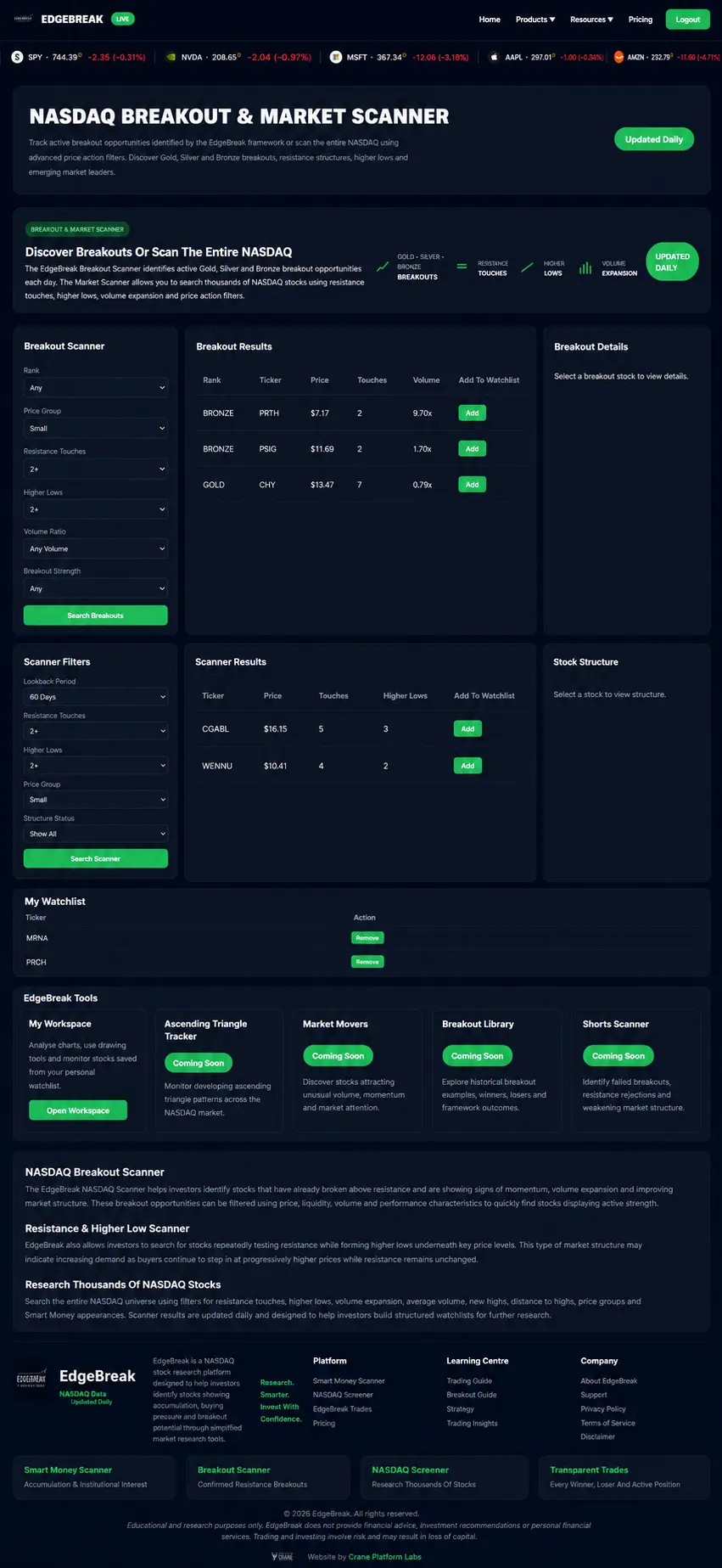
Start by running either the NASDAQ Scanner or the Breakout Scanner using your preferred filters.
When the Smart Money Filter is applied, EdgeBreak performs an additional layer of filtering to reduce the number of results, making it easier to focus your research.
The Smart Money Filter is designed to organise research—not replace it.
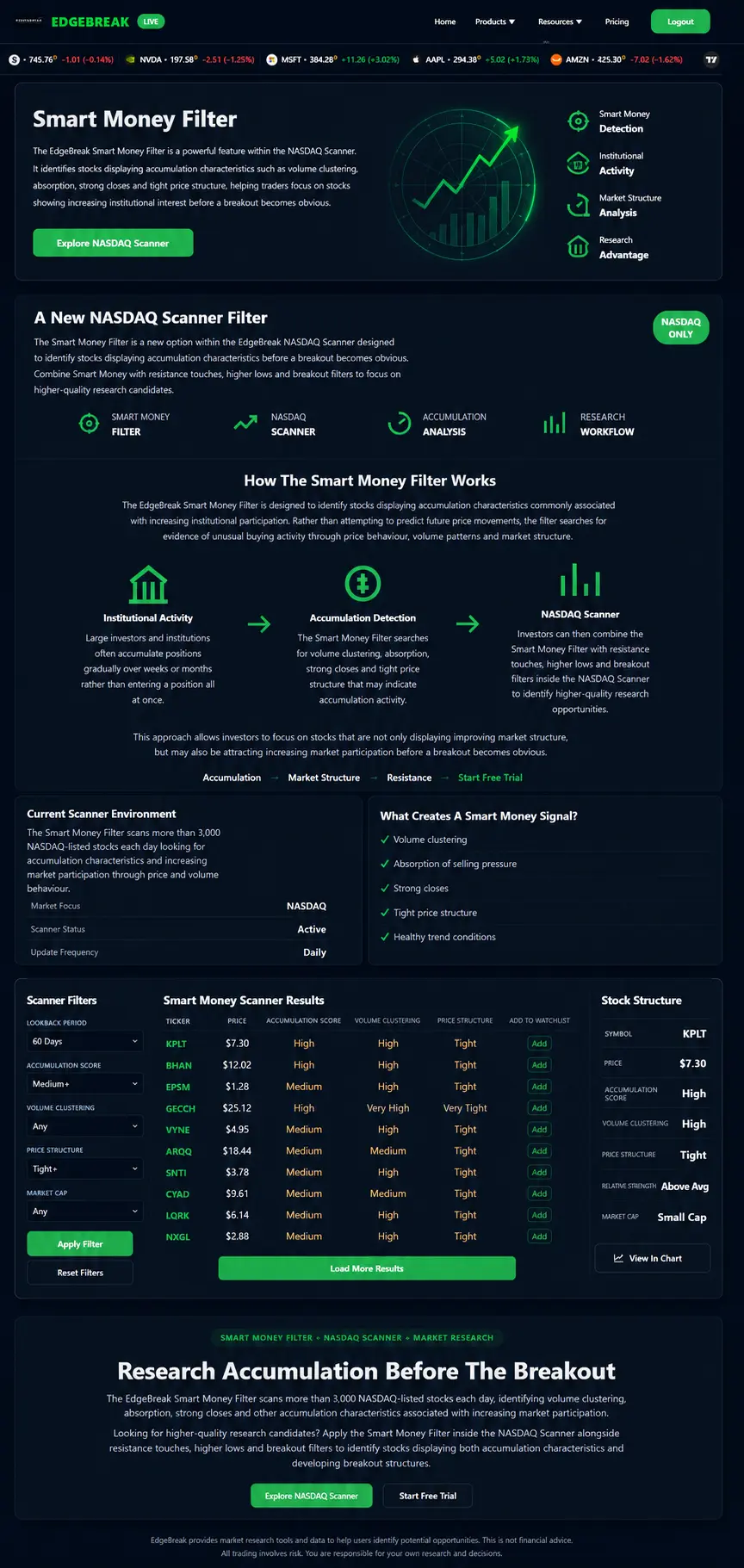
Review the Results
After applying the filter, review the remaining stocks and compare their overall market structure.
The goal is to identify organised charts that deserve further investigation.
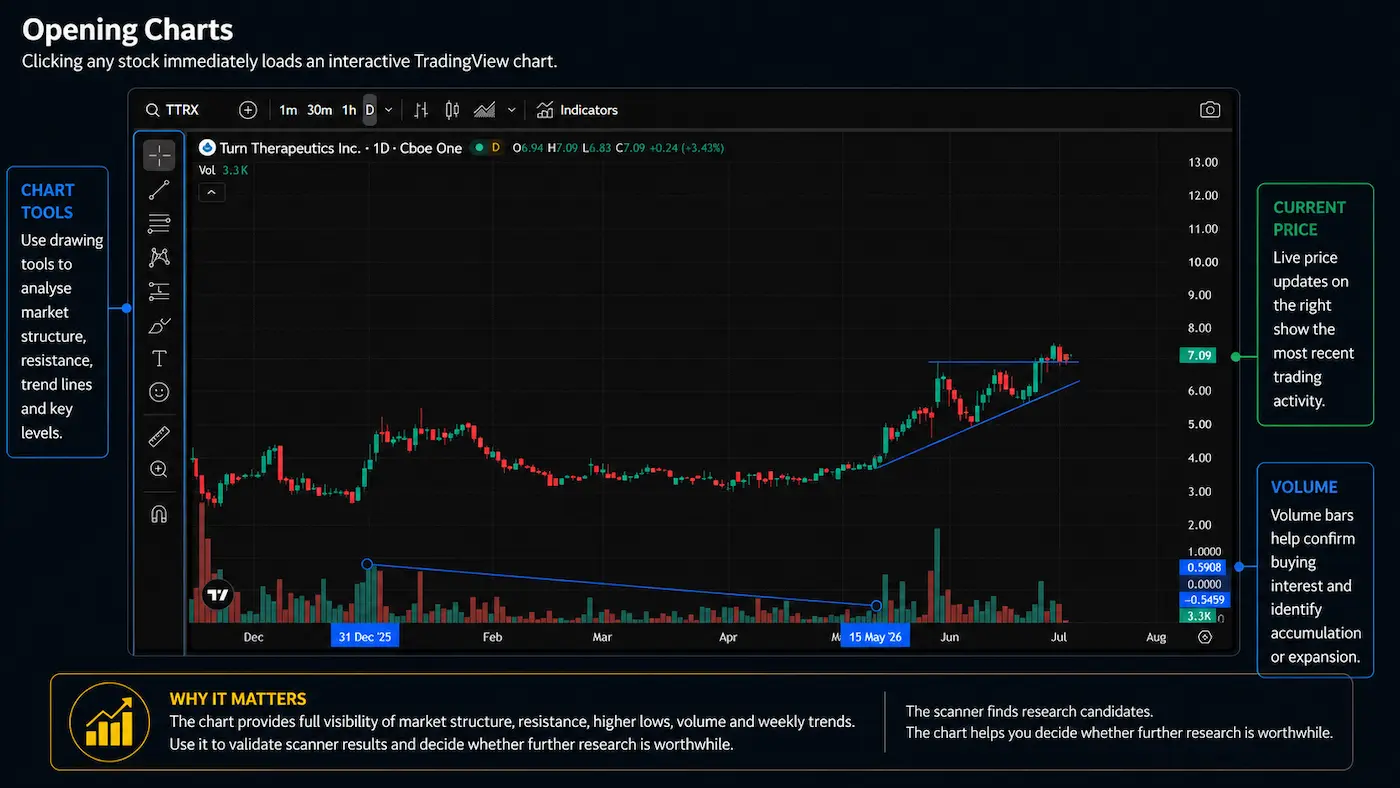
Open the Charts
Once you've narrowed the list, open each TradingView chart and review:
- Market structure
- Resistance
- Higher lows
- Volume behaviour
- Overall trend
The scanner helps find opportunities. The chart helps you evaluate them.
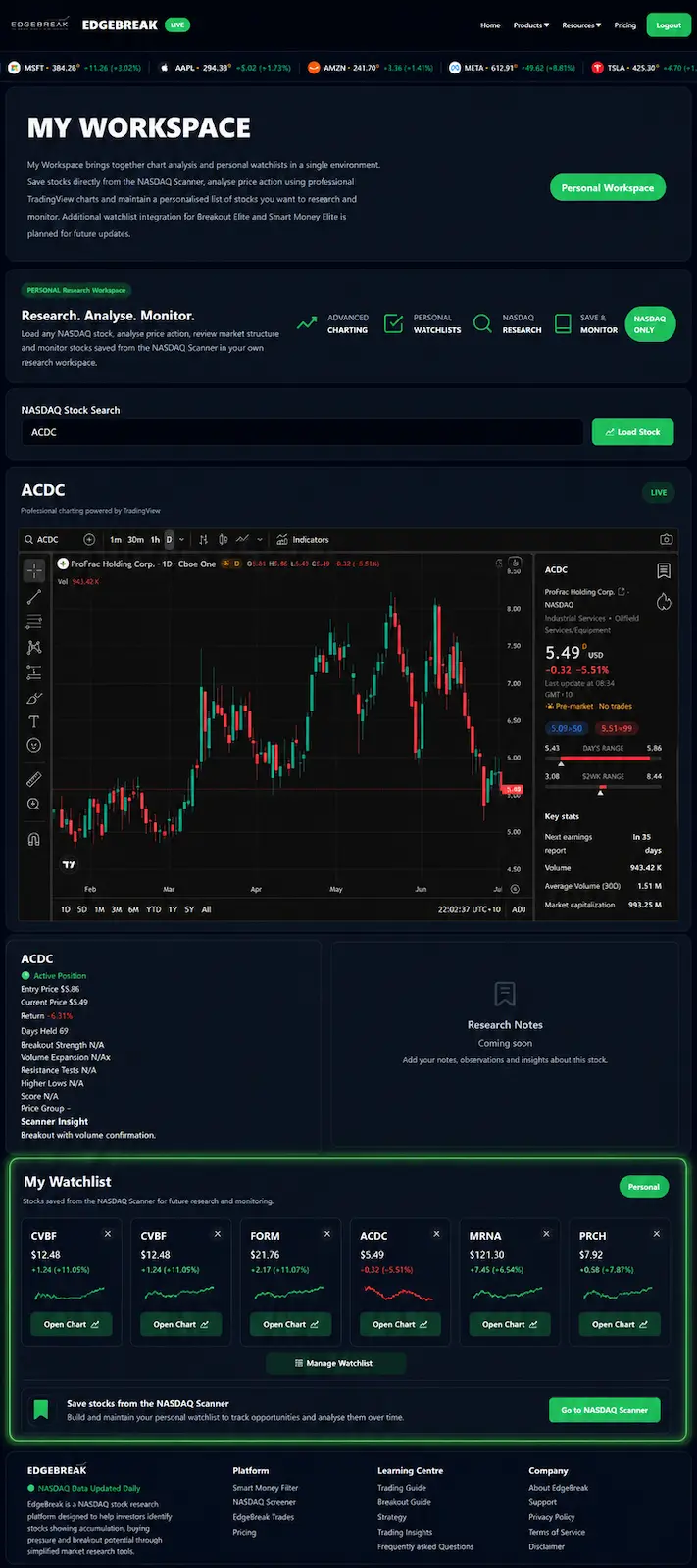
Save Your Research
If a stock continues to display strong market structure after your chart review, save it to My Workspace.
Building a watchlist allows you to monitor developing opportunities over time instead of repeatedly searching for the same stocks.
Lesson Summary
The Smart Money Filter is an additional research filter that works with both EdgeBreak scanners. It reduces the number of results, helping you focus on higher-quality research candidates before reviewing charts and organising them inside My Workspace.
Key Takeaways
- Works with both the NASDAQ Scanner and Breakout Scanner.
- Applies an additional layer of filtering.
- Helps narrow your research.
- Always review charts before saving stocks.
- Use My Workspace to monitor your research.
Practical Exercise
- Open either scanner.
- Apply your preferred filters.
- Enable the Smart Money Filter.
- Review five charts.
- Save your best research candidates to My Workspace.
Research Reminder
The Smart Money Filter is designed to organise market research and help reduce the number of stocks requiring manual review. It does not predict future price movements or provide financial advice.
Continue Your Journey
Lesson 4.4 – Mastering My Workspace
Learn how to organise your watchlists, analyse charts, save research and build a structured workflow using My Workspace. Discover how this central hub brings together every part of the EdgeBreak platform into one efficient research environment.