01
Upload your reference chart
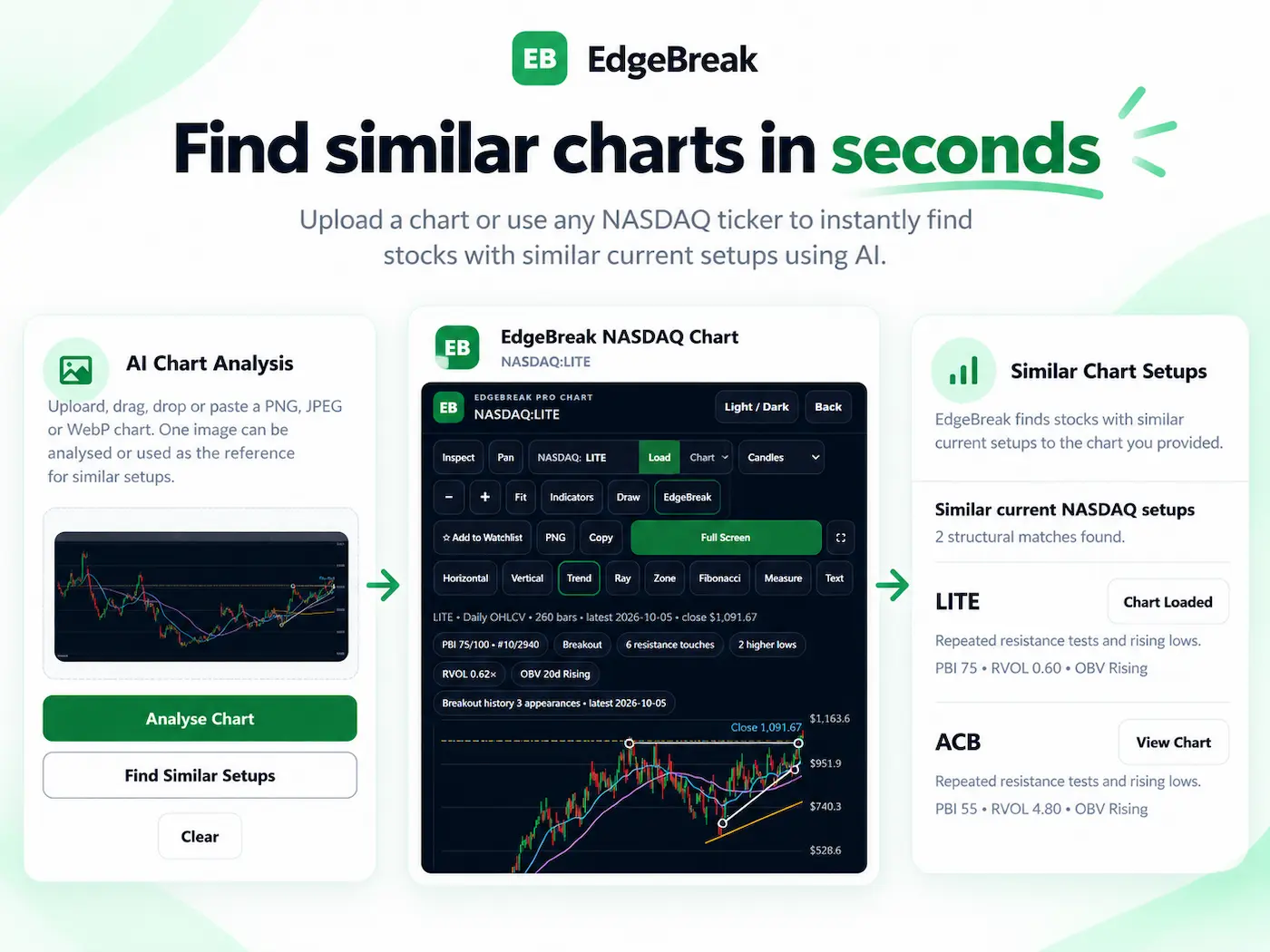
Take a screenshot of a base, ascending triangle, breakout or other clear setup. Upload, paste or drag it into the existing EdgeBreak tool.
Found a chart setup worth investigating? Upload a screenshot and search for stocks with similar chart patterns across supported NASDAQ and NYSE data. Compare the actual structure, not just how the lines look.
The free search uses EdgeBreak's shared chart uploader. Choose Find Similar Setups, not Analyse Chart, after uploading.
From one chart to a new shortlist
Find Similar Charts uses your uploaded image as technical context to look for comparable structures in current supported US stock data. You do not have to invent a scanner formula first.
Take a screenshot of a base, ascending triangle, breakout or other clear setup. Upload, paste or drag it into the existing EdgeBreak tool.
Select the similarity search rather than Analyse Chart. EdgeBreak uses visible structure to shortlist matching supported stocks.
Open the candidates in EdgeBreak charts. Review current resistance, support, consolidation and volume before deciding which deserve more research.
Look for the structure
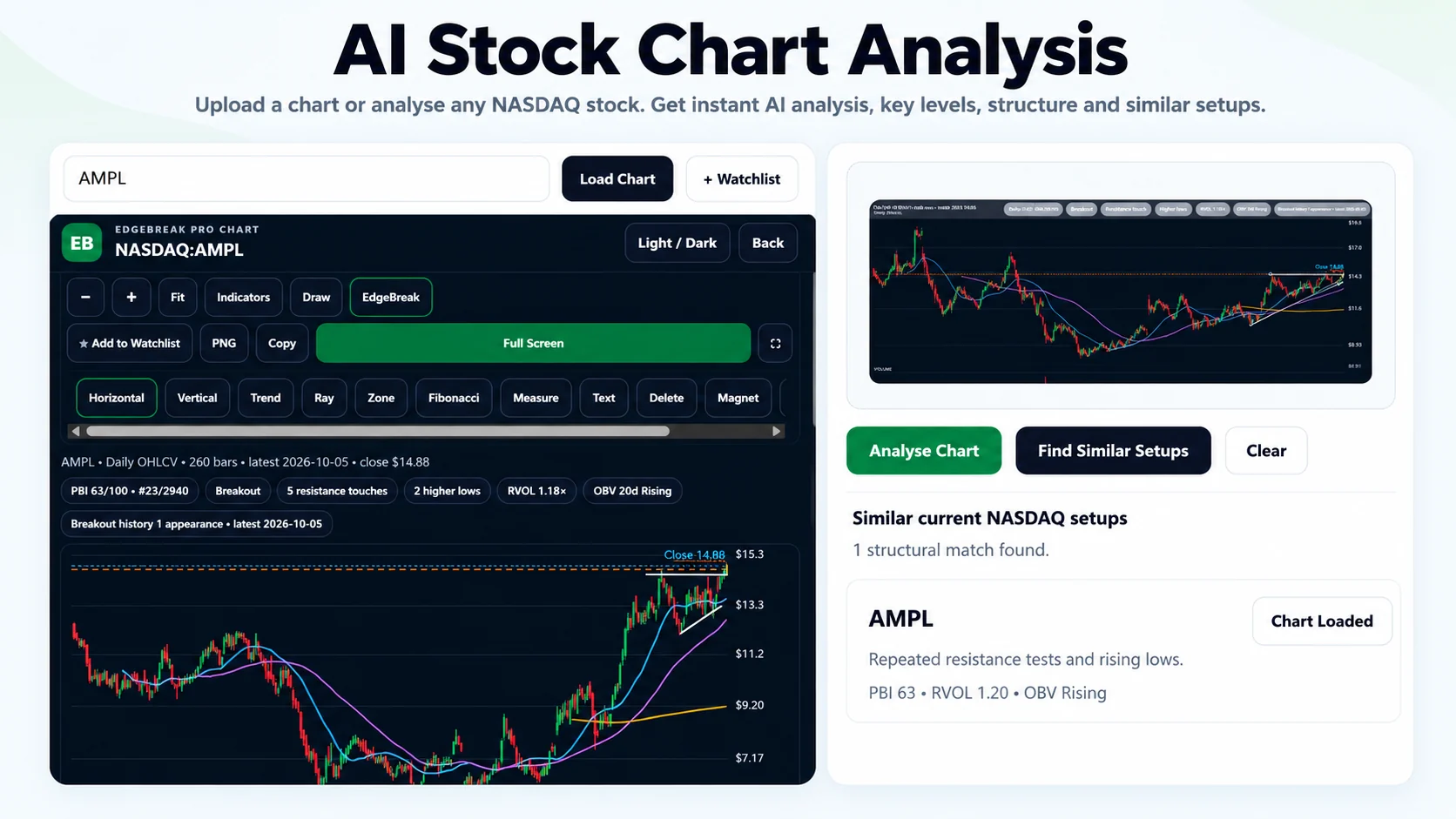
Two charts can share a similar outline yet be at very different stages. EdgeBreak's similarity search can consider evidence beyond a basic image resemblance, depending on available market data.
Results are approximate and may be incomplete. Always inspect the latest chart rather than treating resemblance as a forecast.
Made for pattern research
Start with a real chart instead of guessing which scanner filters reproduce its structure. Use a clearer, longer screenshot when the setup needs more context.
For the detailed walkthrough, read how to find similar stock charts and breakout patterns.
Two different research questions
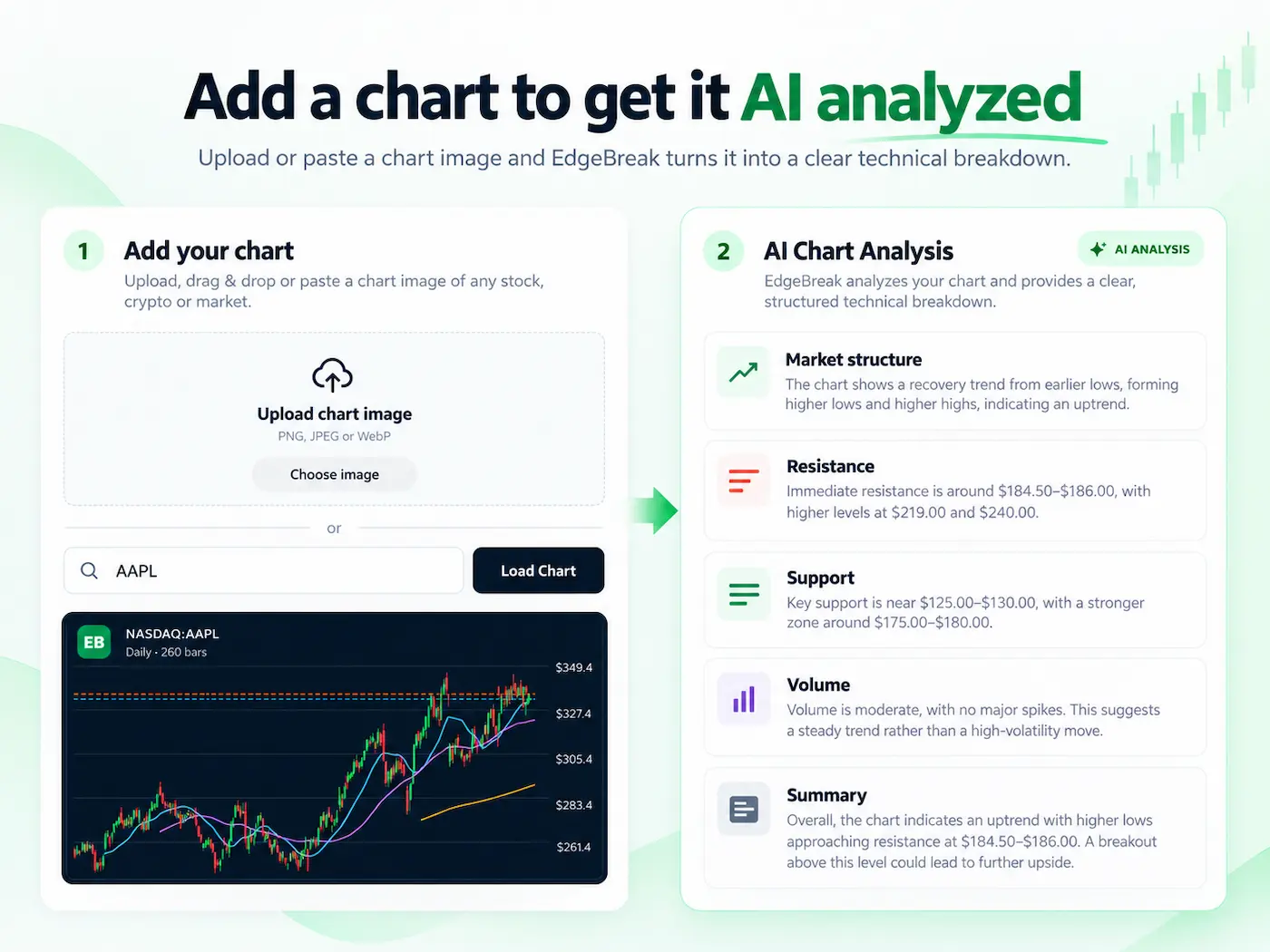
Both workflows are available through the same EdgeBreak Chart Analyzer. The difference is what you want to learn.
“Show me other stocks with a setup like this.” Use the screenshot to search qualifying, structurally similar stocks in EdgeBreak's supported chart universe.
“Explain the structure in this chart.” Use the screenshot for a descriptive analysis of support, resistance, consolidation and other visible evidence.
Try the actual EdgeBreak finder
One similar-chart search is free, with no signup or payment card required. The link opens EdgeBreak's shared chart uploader; after uploading, select Find Similar Setups. Additional use is available through Chart Analyzer membership at US$9/month, with an eligible first-time 3-day trial. Your final terms are shown at checkout.
Common questions
Yes. Upload or paste a readable stock chart screenshot, choose Find Similar Setups, and inspect the returned structural matches from EdgeBreak's supported data.
No. A ticker is not required to submit a stock chart screenshot for a similar-chart search.
EdgeBreak searches supported NASDAQ and NYSE stock-chart datasets. It does not search every exchange, asset class or historical chart.
No. Analyse Chart describes the chart you supply. Find Similar Setups uses the supplied chart to search for other stocks with comparable visible structure.
Yes. The public chart tool offers one free similar-chart search without requiring an account or payment card. Additional access depends on the current plan and trial terms.